
IPTV Crashes Under Sustained Load: What Actually Holds Up
August 13, 2026 · 9 min read
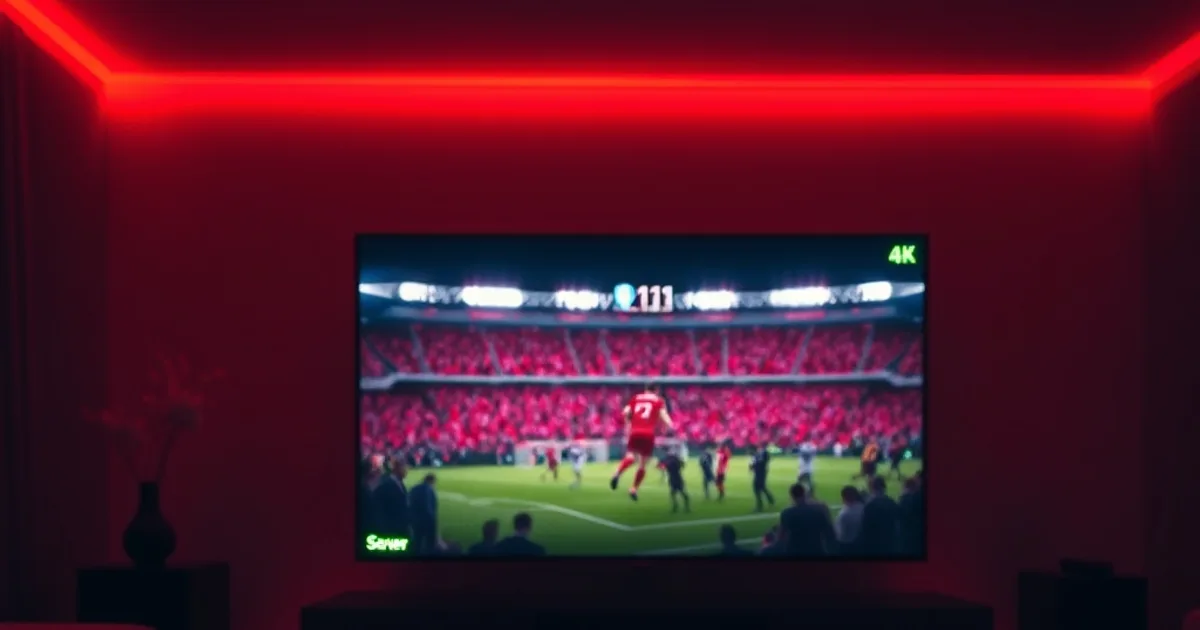
IPTV crashes under sustained load in a very specific, very predictable way. It rarely happens on day one, when the channel list is fresh, the picture is sharp, and everything about a new subscription still has your full attention. It happens days or weeks in, at the exact moment thousands of other viewers converge on the same servers for the same live moment — a marquee derby, a title fight, a Sunday night game everyone in the region is tuned into at once. That is the moment that actually tells you what a provider is built on.
This piece isn't a ranking. It's a look at what genuinely separates a stream that survives real-world pressure from one that only looks good in a demo — server capacity, peak-hour congestion, and how a provider's infrastructure behaves during the one hour a week when everyone is watching the same thing. Diablo IPTV's own story fits into that picture directly: a genuine free trial you can test yourself, and a track record of holding steady through exactly the kind of high-traffic live moment that exposes everyone else's shortcuts.
The Before: A Stream That Looks Perfect on Day One
Almost every IPTV service looks the same in the first hour. The channel list loads fast, the picture is crisp, a movie plays start to finish without a stutter. That first impression is real, but it is also close to meaningless as a predictor of anything, because a brand-new account on a quiet afternoon is the lightest possible load any server ever carries. Providers know this, which is why so much marketing — screenshots of 4K menus, big channel-count numbers, glowing testimonials — is built entirely around that first hour.
The problems that actually matter show up later, and they show up predictably: a channel that pixelates the moment a match kicks off, a stream that buffers for thirty seconds right after a goal, a connection that quietly drops and has to be restarted mid-broadcast. None of that happens because a provider lied about its channel count. It happens because the infrastructure behind the channel list was never sized for what real, sustained demand looks like — and nobody finds that out until the exact night it matters most.
Want to ask about Diablo IPTV's free trial before your next big match?
What Actually Causes an IPTV Stream to Crash Under Real Load
Server capacity is the first and biggest factor, and it's almost never advertised because it's the least flattering number a provider has. Every server has a ceiling on how many simultaneous streams it can push before quality drops or connections start getting rejected. A provider that provisions for its average night — a normal Tuesday — rather than its busiest possible night is fine right up until a fixture pulls in double or triple the usual traffic, at which point everyone streaming from that server pool feels it at once.
Peak-hour congestion compounds the same problem from a different angle. IPTV demand isn't spread evenly across the week; it clusters hard around evenings, weekends, and specific kickoff times, which means a provider's true capacity ceiling only gets tested during a narrow handful of hours. A service can run flawlessly for hundreds of hours a month and still fail badly during the four or five hours that carry the heaviest simultaneous load — and those are exactly the hours a viewer actually cares about.
The Real Test Isn't the First Week — It's the Big Match
This is the part most reviews skip: a provider's real reliability isn't measured by how it performs on a random Tuesday, it's measured by how it performs during the one match everyone is watching at the same time. A crucial derby, a rivalry game, a late-Sunday fixture with real stakes — these are the moments that concentrate more simultaneous demand onto the same servers, at the same second, than almost anything else an IPTV provider has to handle. If the infrastructure has any thin spots, that is when they show.
That's a genuinely useful lens for judging any provider: not "does the demo look good," but "does it hold up when the traffic spikes hardest." It's a harder bar to clear than a polished channel list, and it's the one that actually predicts whether a subscription will still be worth it three months in.
The After: A Derby Night That Held Steady
Diablo IPTV's own high-traffic moment came late on a Sunday, during a derby match with real stakes attached — precisely the kind of fixture that pulls in a spike of simultaneous viewers well above a normal night. That combination, a late kickoff plus a rivalry game, is close to a worst-case scenario for server load: everyone tuning in during the same narrow window, on the same regional servers, at the exact moment the match matters most. The stream held steady through the entire game — no freeze, no forced quality drop, no dropped connection at the point it would have cost someone the moment they were watching for.
That's the payoff of running on anti-freeze, stable infrastructure sized for those peaks rather than just for an average Tuesday: the same 110,000+ live channel line-up and 99.9% uptime spec that reads as a bullet point on a pricing page is the thing that's actually being tested the moment a derby kicks off. Our Diablo IPTV sports channels guide covers the full live-sports line-up this kind of infrastructure has to carry every week, not just on the nights that make headlines.
Why a Genuine Free Trial Is the Real Signal to Trust
Marketing copy can claim anything. A genuine free trial can't — it hands you the one thing every glossy screenshot is missing: your own connection, your own device, and a real live event to watch before you've paid a cent. Diablo IPTV offers a 24-hour free trial specifically so you don't have to take server-capacity claims on faith; you can point it at a busy evening slot yourself and see whether it holds up under exactly the kind of pressure described above.
That is a meaningfully different kind of confidence than a refund policy, which only kicks in after something has already gone wrong. A free trial lets you catch the problem — or confirm there isn't one — before you've committed to a plan at all, which is worth more than any spec sheet when the question you're actually trying to answer is "will this still work during the match I actually care about."
How to Stress-Test Any IPTV Provider Before You Pay
Whichever provider you're weighing, the same checklist applies. Use the trial window during a genuinely busy slot — a weekend evening or a live match with real audience numbers — rather than a quiet weekday afternoon, since that's the only way to see anything close to real peak load. Watch a full live event start to finish rather than a five-minute sample; a lot of the crashes that matter show up thirty or sixty minutes in, not in the opening seconds.
Pay attention to what happens right after a big moment in the broadcast — a goal, a knockdown, a buzzer-beater — since that's when viewer numbers spike hardest as people who were half-watching suddenly tune in properly, and it's a good proxy for how the server pool handles a real surge. If a stream survives that without dropping quality or disconnecting, that's a far more reliable signal than any channel-count number on a pricing page — the same read our Diablo IPTV reliability test walks through in more detail.
Ready to test Diablo IPTV's infrastructure for yourself?
Diablo IPTV Plans, Built on the Same Infrastructure
Every Diablo IPTV plan runs on the same servers and the same anti-freeze technology, so the reliability described above isn't reserved for a premium tier. 3 Months is $29, 6 Months is $37, 12 Months is $65 and 24 Months is $95 — the difference between them is only duration, never capacity. Whichever length you pick, you're relying on the identical infrastructure a Sunday derby night already proved out.
Start with the 24-hour free trial, point it at your next big match, and judge for yourself whether it holds up before deciding on a plan length.
Frequently asked questions
Why does IPTV freeze more during a big match than on a normal night?
Because demand spikes hardest during exactly those windows — everyone watching the same fixture pulls from the same server pool at the same time, which is when a thin capacity margin actually shows. A provider that's fine on an average Tuesday can still struggle during the handful of hours a week that carry the heaviest simultaneous load.
Does Diablo IPTV offer a free trial before I have to pay?
Yes. Diablo IPTV includes a 24-hour free trial, so you can test the stream — ideally during a busy evening or a live match — before committing to any of the four paid plans (3, 6, 12 or 24 months).
What's the best way to judge if an IPTV provider will hold up long-term?
Use the trial window to watch a full, genuinely busy live event rather than a quiet afternoon sample. A stream that stays clean through the moments right after a goal or a big play, when viewer numbers spike hardest, is a far more reliable signal than any channel-count claim on a pricing page.
Read next: the pricing page or the FAQ.