Fantasy Football & IPTV: RedZone + Multi-View Setup
September 6, 2026 · 8 min read
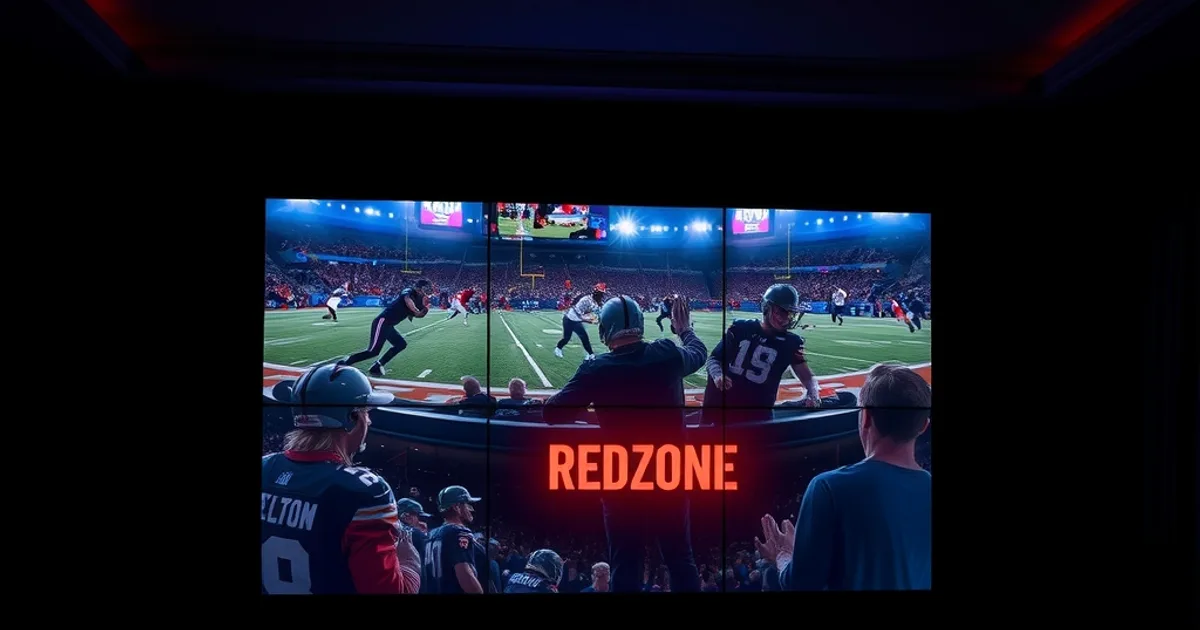
The 2026 NFL season kicked off on September 4, and the road runs all the way to Super Bowl LXI on February 14, 2027. That means this week is peak season for fantasy football: leagues are finishing drafts, waiver priorities are being set, and managers are figuring out how they'll actually watch the games that decide their Sundays. RedZone demand always spikes this hard in early September, and for good reason — a fantasy roster spread across four different games doesn't care which one is "the game of the week," it cares about every red zone snap, everywhere, live.
Most IPTV guides for football stop at "here's how to get NFL channels." That's not the problem fantasy managers actually have. The real problem is workflow: how many games can you legally watch at once on your plan, which device can actually split that screen into something usable, and how your home network holds up when it's pushing multiple 4K streams during the exact hour everyone else in the house is also online. This guide answers those questions specifically for Diablo IPTV, with a game-day setup you can build once and reuse every week of the season.
We'll cover concurrent stream limits, device comparisons for split-screen viewing, how to confirm RedZone is actually on your channel list before kickoff (not all IPTV plans carry it), TiviMate vs. Smarters Pro for a multi-view layout, router settings that keep four streams from stuttering, and a backup plan for the moment RedZone inevitably drops mid-scoring-drive.
Why RedZone + Multi-View Matters for Fantasy Football
RedZone exists to solve one problem: you can't watch eight simultaneous NFL games, but you can watch every scoring drive across all of them if someone else does the switching for you. For a fantasy manager, that's not a luxury feature — it's the difference between seeing your RB2 punch in a goal-line touchdown live and finding out about it three minutes later from a push notification.
Multi-view takes that a step further. RedZone gives you the highlights reel, but it can't show you the buildup — the third-and-short that determines whether your flex play stays on the field or gets pulled for a bigger back, the target share drifting toward one receiver over another. Running RedZone alongside one or two full game feeds lets you watch the context Redzone skips, while still catching every red zone snap across the league.
This matters most in the early afternoon slate, when up to a dozen games overlap and your roster is realistically scattered across four or five of them. A single-screen setup forces you to pick one game and miss the rest; a proper multi-view setup lets you track the games that actually move your scoreboard.
Not sure if your current plan includes RedZone or supports multi-view?
Concurrent Stream Limits on Diablo Plans
Every IPTV service caps how many streams can run at once on a single subscription, and Diablo is no exception. This limit is what actually decides whether you can run RedZone plus two game feeds plus a stats app at the same time, or whether you're stuck picking one stream and living with it.
Before you build a multi-view setup, check your plan's concurrent connection allowance directly with Diablo rather than assuming — allowances vary by plan tier and can change between renewal cycles. If your household also has other people streaming during the same afternoon window (kids, a partner watching something unrelated), those streams count against the same limit unless you're on a plan built for multiple simultaneous connections.
The practical fix for most fantasy managers who hit this ceiling isn't running more devices — it's running fewer, better ones. A single Fire Stick or Android TV box doing a 3-up or 4-up split-screen layout inside one app often uses fewer concurrent streams than four separate devices each pulling one channel, because some multi-view apps combine the picture-in-picture panes into a single decoded session. Confirm this with whichever app you choose (see the TiviMate vs. Smarters Pro section below), since behavior differs by app.
Best Devices for Fantasy Football Multi-View
Not every streaming box can handle split-screen playback well. Multi-view is CPU- and decoder-intensive — you're asking the device to decode and render two, three, or four video streams at once, not just one — so underpowered hardware is where fantasy Sundays fall apart.
Fire Stick (4K / 4K Max): workable for a 2-up split with RedZone plus one game, but budget Fire Stick models can struggle to hold a stable 3- or 4-up layout without dropped frames. Our full setup walk-through is at /blog/diablo-iptv-firestick-setup.
Android TV boxes and Nvidia Shield: generally the strongest choice for serious multi-view, thanks to more RAM and stronger hardware decoders — this is where a 4-up grid (RedZone + three games) is realistically smooth. See /blog/diablo-iptv-android-tv-setup-guide for the Diablo-specific install steps.
Apple TV: capable for 2-up layouts in apps that support it, though split-screen options are more limited in the tvOS App Store than on Android-based platforms — check /blog/diablo-iptv-apple-tv-setup-guide before committing to it as your main game-day box. Roku is the most restrictive of the four for true multi-view; it's fine as a single-feed backup device, and setup is covered at /blog/diablo-iptv-roku-setup-guide-2026, but don't plan your primary split-screen station around it.
RedZone Verification & Channel Availability on Diablo
Not all IPTV plans carry RedZone, and channel lineups can shift during the season. The single most important thing to do before Sunday is confirm — directly in your Diablo channel guide or by asking support — that RedZone is actually listed on your specific plan, rather than assuming it's bundled in because it's a well-known channel.
If you don't see it in your guide, don't guess at workarounds. Ask Diablo support which plan tier includes it and whether an upgrade is needed. Doing this on a Tuesday or Wednesday, well before kickoff, avoids the scramble of troubleshooting during the first slate of the day.
Once you've confirmed it's included, add the RedZone channel to favorites in your player app so it's one tap away rather than buried in a full guide scroll during a live scoring drive.
Split-Screen Setup: TiviMate vs. Smarters Pro
TiviMate is the stronger pick for fantasy managers who want real multi-view. Its multi-screen mode supports a grid layout with several channels running simultaneously, favorites organized into a custom category (build one called "Fantasy Sunday" with RedZone and your key matchups), and a channel-switch speed that holds up well under a full afternoon slate. The tradeoff is a steeper initial setup and a premium tier for some of the more advanced multi-screen options.
Smarters Pro is simpler to configure out of the box and works reliably across more devices, but its split-screen support is more limited — typically a 2-up view rather than a full grid, and less flexible favorites/category management. It's a solid choice if your realistic need is "RedZone plus one other game," or as the backup app on a secondary device.
For a full network side-by-side of every player app Diablo supports, see /blog/best-iptv-player-app-diablo-2026-comparison. If you're building a dedicated fantasy-day setup, our recommendation is TiviMate on an Android TV box or Fire Stick 4K Max as the primary screen, with Smarters Pro on a phone or tablet as the mobile backup.
Network Optimization for 4K Multi-Stream
Running RedZone plus two or three game feeds at once — especially in 4K — is genuinely demanding on home bandwidth, and it's happening during the exact window when everyone else on your network is also streaming or gaming. This is where most "my stream keeps buffering" fantasy-day complaints actually originate: not the IPTV service, but the home network.
Wired Ethernet to your primary streaming device is the single biggest reliability upgrade you can make — WiFi contention is the main cause of mid-game buffering when multiple streams compete for the same channel. If Ethernet isn't practical, WiFi 6 hardware and Quality of Service (QoS) rules that prioritize your streaming device's traffic make a measurable difference.
We've written a full router configuration walk-through covering QoS rules and WiFi 6 settings specifically for multi-stream IPTV setups: /blog/iptv-router-setup-guide-qos-wifi6. Run through it before kickoff, not during the first commercial break — router changes are easier to troubleshoot with no game riding on the connection.
Game-Day Workflow: Setting Up Your Diablo Fantasy Football Station
A repeatable layout beats rebuilding your setup every Sunday. A workable structure: RedZone as the largest pane or the default full-screen channel, with your two most relevant matchups (based on which of your players are active) in smaller panes around it. Reassign those secondary panes at halftime once early games wrap and afternoon slate teams take over.
Keep your fantasy platform's live scoring or stats app open on a second screen — phone or tablet — rather than trying to cram it into the TV layout. This keeps your eyes on live video for the actual football and gives you a fast glance at scoring updates without switching away from the game feed.
If your league uses a group chat for trash talk or waiver alerts, the same second-screen device works for that too. The goal is one primary screen dedicated entirely to video, and one secondary screen for everything text-based — stats, chat, alerts — so neither interrupts the other.
Get your fantasy football game-day station ready before kickoff this week.
Backup Coverage if RedZone Drops
Any live stream can hiccup, and RedZone during the highest-traffic hours of the week is no exception. Have a fallback plan ready before you need it, not after: know which two or three individual game channels carry the teams your key fantasy players are on, and keep those favorited alongside RedZone so switching over takes seconds.
A mobile device on cellular data (not your home WiFi) is a useful independent backup — if the issue is your home connection rather than the IPTV service itself, a phone on a different network keeps you covered while you troubleshoot the main setup. This is also where a browser-based or app-based access to Diablo IPTV on your phone pays off, letting you check the same channels the TV is trying to play.
If problems persist past a quick refresh or app restart, reach out to Diablo support directly rather than assuming the worst — service issues are often quickly identified and resolved, and a fast message beats missing the rest of the red zone possessions in a close game.
Frequently asked questions
How many NFL games can I realistically watch at once on Diablo IPTV?
It depends on your plan's concurrent stream allowance and your device's decoding power. Confirm your plan's stream limit directly with Diablo, and match it to a device capable of the split-screen layout you want — see the device comparison section above.
Does every Diablo IPTV plan include NFL RedZone?
Not necessarily. Channel lineups vary by plan tier and can change during the season, so check your channel guide or ask Diablo support to confirm RedZone is included on your specific plan before kickoff.
What's the best device for a 4-game multi-view setup?
Android TV boxes and Nvidia Shield generally handle multi-stream split-screen most reliably thanks to stronger hardware decoders. Fire Stick 4K models work well for 2-up layouts. Full setup guides are linked for Fire Stick, Android TV, Apple TV, and Roku above.
TiviMate or Smarters Pro for fantasy football Sundays?
TiviMate offers a more flexible multi-screen grid and stronger favorites organization, making it the better fit for tracking several games at once. Smarters Pro is simpler and works well for a basic RedZone-plus-one-game setup or as a mobile backup app.
Why does my stream buffer during Sunday afternoon games specifically?
That's the highest-traffic viewing window of the week, and running multiple 4K streams strains home WiFi more than any other time. A wired Ethernet connection or WiFi 6 with QoS rules prioritizing your streaming device usually resolves it — see our router setup guide linked above.
What should I do if RedZone drops during a game?
Keep individual game channels for your key fantasy matchups favorited as a fallback, try a quick app restart, and have a mobile device on cellular data as an independent backup. If the issue continues, contact Diablo support directly.
Read next: the pricing page or the FAQ.